
The Growing Need for Photo Privacy
In today's digital world, photos and screenshots contain more personal information than ever before. From faces and names to conversation content and location data, the images we share can inadvertently expose sensitive details. This comprehensive guide explores the best privacy tools for protecting your visual information in 2025.
Whether you're sharing screenshots from dating apps, posting images on social media, or storing photos in the cloud, proper privacy protection is essential for maintaining control over your personal information.
Types of Photo Privacy Tools
Privacy tools for photos generally fall into several categories based on their primary functions:
1. Face Blurring and Detection Tools
These applications automatically identify and obscure faces in photos, protecting identity without diminishing the overall quality of the image. Advanced AI tools like Blur ID can detect faces with remarkable accuracy, even in group photos or challenging lighting conditions.
2. Text and Information Redaction
Screenshot privacy tools that can identify and blur text, usernames, phone numbers, addresses, and other sensitive information. These are particularly useful for sanitizing screenshots from messaging apps, social media, or sensitive documents.
3. Metadata Removal
Many people don't realize that photos often contain hidden metadata, including the exact location where they were taken, the device used, and timestamps. Metadata removal tools strip away this information before you share images.
4. Secure Storage Solutions
End-to-end encrypted photo storage services that ensure your private images remain private, even if stored in the cloud.
Top Privacy Tools for Photos in 2025
Blur ID - Best for Comprehensive Visual Privacy
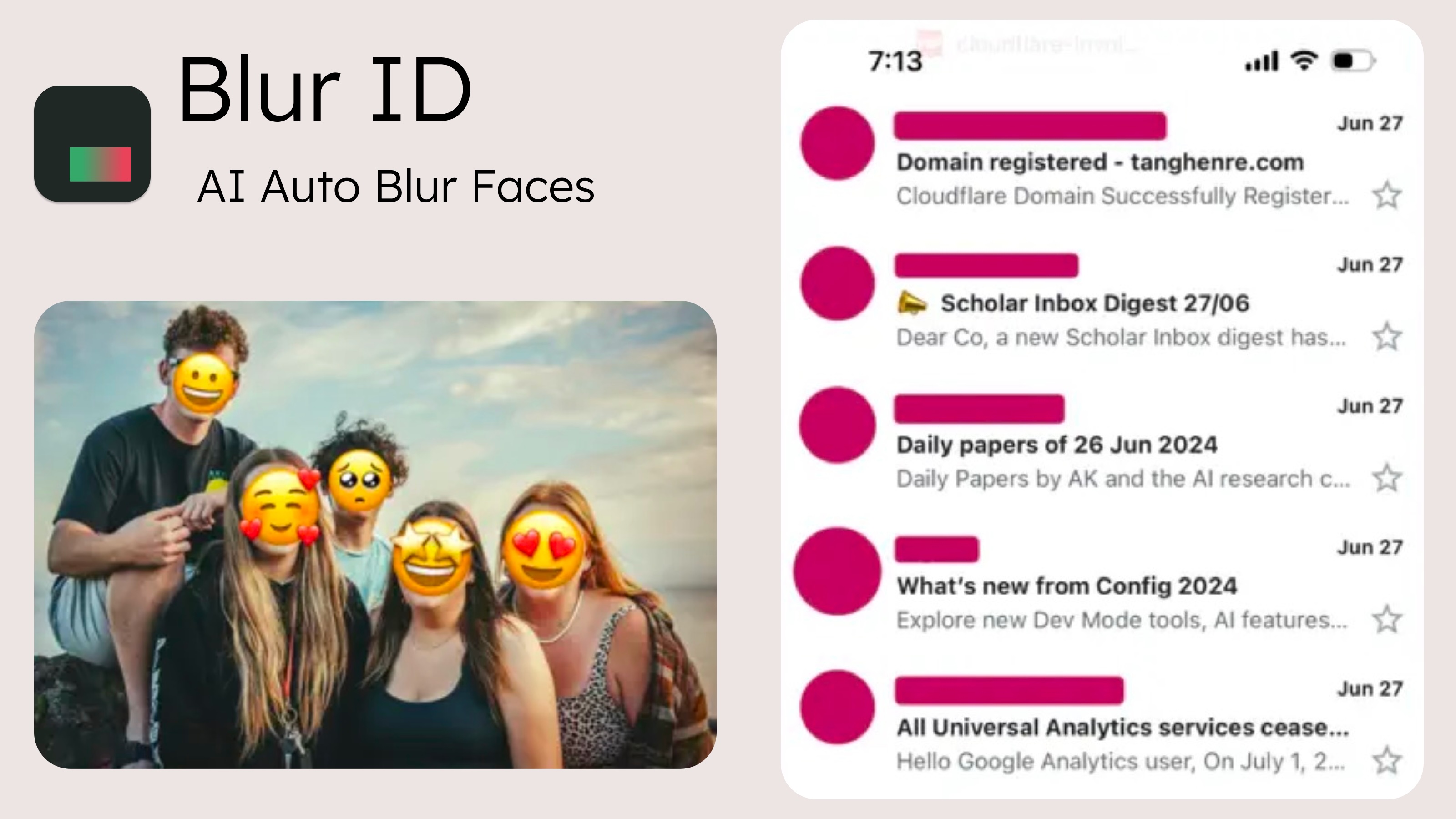
Blur ID
Blur ID stands out as the most comprehensive privacy tool for photos and screenshots in 2025. Its advanced AI can detect and blur faces, avatars, usernames, and sensitive text with exceptional accuracy. What sets it apart is its ability to create natural-looking redactions that preserve the visual appeal of images while ensuring complete privacy protection.
Key features:
- AI-powered face and text detection
- Immersive, natural-looking blur effects
- 100% offline processing for maximum privacy
- Works with screenshots from all major apps
- Multiple blur styles and intensities
PrivacyBlur - Simple Open Source Option
PrivacyBlur offers a straightforward, open-source approach to blurring portions of images. While it lacks the advanced AI capabilities of Blur ID, it provides a free and reliable option for basic privacy needs. The tool requires manual selection of areas to blur, making it less convenient for processing multiple images but giving users precise control over what gets obscured.
Metadata Cleaner - For Removing Hidden Information
Metadata Cleaner specializes in removing the hidden information embedded in image files. This tool ensures that when you share photos, you're not inadvertently sharing your location, device information, or other personal data. It's particularly valuable for privacy-conscious users who regularly share images online.
Best Practices for Photo Privacy
Even with the best privacy tools, maintaining visual privacy requires following some best practices:
Review Before Sharing
Always review photos and screenshots for sensitive information before sharing them. Look beyond the obvious - check backgrounds for personal items, reflections that might show private information, or ambient details that could reveal your location.
Use Multiple Privacy Layers
For highly sensitive images, consider applying multiple privacy measures. For example, blur faces with a tool like Blur ID, then strip metadata with a secondary tool before sharing.
Understand Platform Policies
Different social media platforms and messaging apps handle image data differently. Some strip metadata automatically, while others preserve it. Understanding these differences can help you make informed decisions about where and how to share images.
Regularly Audit Shared Photos
Periodically review images you've shared online and remove ones that might contain outdated or sensitive information you no longer want public.
The Future of Photo Privacy
As technologies evolve, we're seeing rapid advancements in both privacy tools and potential privacy threats. Future trends in photo privacy are likely to include:
- More sophisticated AI detection capabilities that can identify even subtly revealing information
- Integration of privacy features directly into camera apps and social media platforms
- Enhanced techniques for identifying digitally altered photos and deepfakes
- Greater public awareness about visual privacy risks
Conclusion
As our digital and physical lives become increasingly intertwined, protecting visual privacy is more important than ever. The tools highlighted in this guide offer effective solutions for maintaining control over your personal information in photos and screenshots.
Blur ID represents the cutting edge of this technology in 2026, offering comprehensive protection with its advanced AI capabilities and privacy-first approach. By combining these tools with good privacy practices, you can share images confidently while keeping your personal information secure.
Try Blur ID Today
Experience the most advanced photo privacy protection available. Download Blur ID and see how easy it can be to maintain your visual privacy without sacrificing image quality.
Download on the App Store